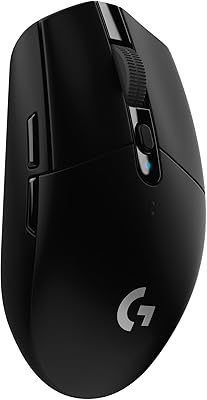
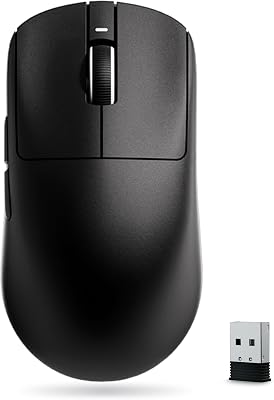
The mouse that tops a comparison chart is not always the one that works best on your desk. Fit and feel matter more than spec-sheet numbers, so use this checklist before you buy.
Start with your hand and grip
Measure your hand from the crease of your wrist to the tip of your middle finger, then compare it with the length and width on the maker's product page. A mouse that is too small cramps your hand over a long session, and one that is too large slows quick flicks. Your grip changes what fits. A palm grip rests the whole hand on the mouse and usually suits a longer shell. A claw grip arches the fingers and favors a taller back. A fingertip grip touches the mouse only with the fingertips and favors a small, very light shell.
Weight and balance
Under about 60 grams counts as light, and lighter mice are easier to flick. Weight is only part of the feel, though. A heavier mouse with smooth feet can feel steadier for slow, precise aim. If you are moving from a heavy mouse to an ultralight one, give it a few days before you decide.
Specs that matter, and specs that do not
- Sensor DPI. Headline numbers in the tens of thousands are marketing. Most players use somewhere between about 400 and 1,600 DPI and adjust sensitivity in the game, so any modern gaming sensor that tracks cleanly in that range is enough.
- Polling rate. 1,000 Hz is the common standard and is plenty for most games. Higher rates can shorten battery life on wireless mice.
- Wireless type. A 2.4 GHz receiver is designed for low-latency gaming. Bluetooth is convenient for laptops and travel but is usually the weaker choice for fast shooters.
- Battery. Check whether it takes a replaceable battery or charges over USB, and read the maker's stated battery life.
- Buttons. Side buttons help in strategy and MMO games. Make sure they sit where your thumb does not press them by accident.
Set it up for steady aim
In Windows mouse settings, turn off Enhance pointer precision (it is a form of mouse acceleration) and leave pointer speed at the default, so the same hand movement gives the same cursor movement every time. The mouse pad matters too: a cloth pad gives more control and a smoother pad gives more speed. Keep both clean, because dust on the feet or pad makes tracking feel inconsistent.
Buy where returns are easy
Fit is personal, and the only way to know is to use the mouse for a few days. Choose a seller with a return window and keep the box until you are sure.
We pick products from published reviews and say plainly when we have not tested them. You can read how we choose in About SteelGames.